Pipelines
Connect code and data
Commands like dvc add, dvc push and dvc pull can be made
independently of changes in the Git repository and therefore only provide the
basis for managing large amounts of data and models. In order to actually
achieve reproducible results, code and data must be linked together.
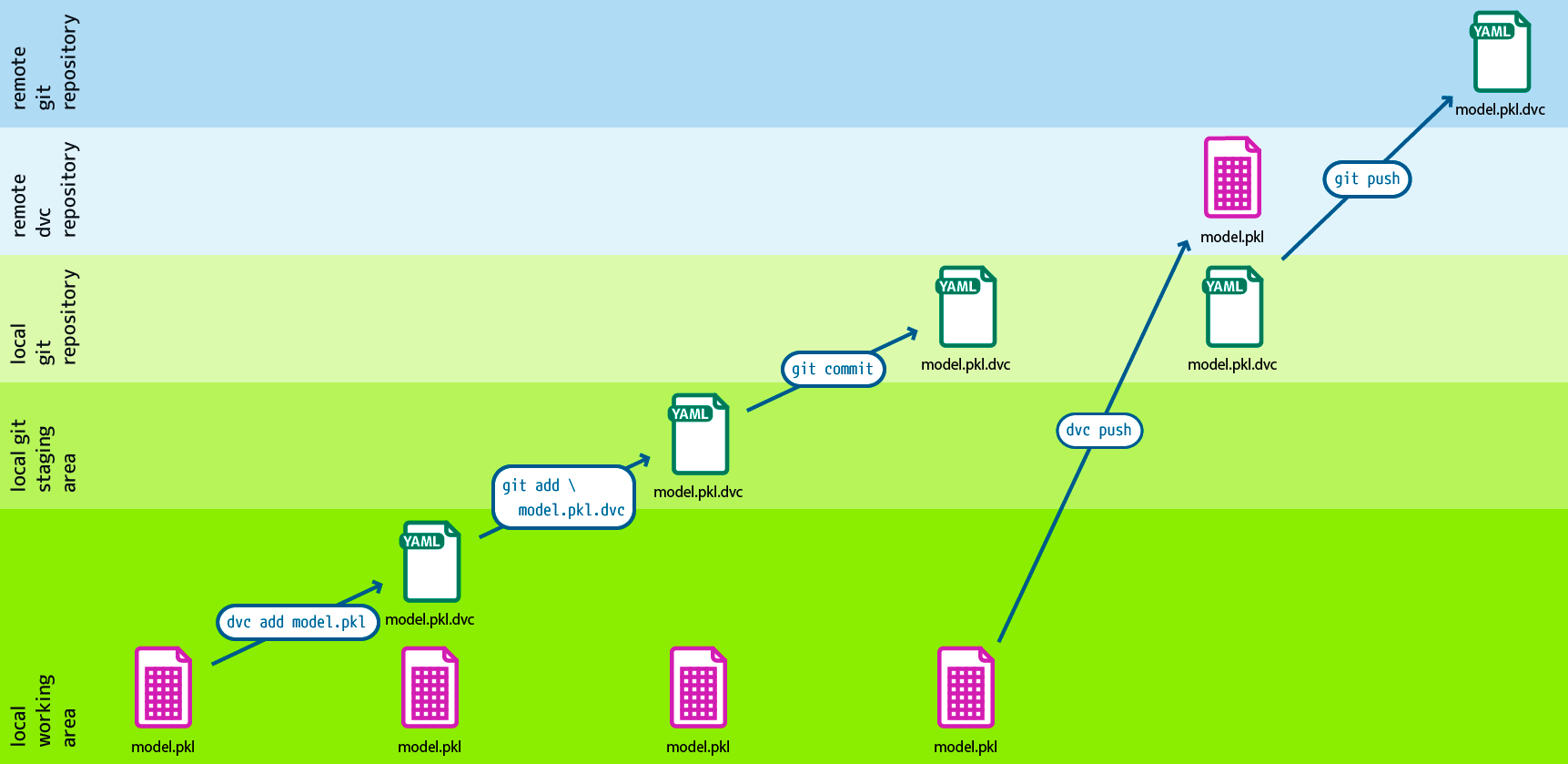
Design: André Henze, Berlin
With dvc run you can create individual processing levels, each level being
described by a source code file managed with Git as well as other dependencies
and output data. All stages together then form the DVC pipeline.
In our example dvc-example, the first stage is to split the data into training and test data:
$ dvc run -n split -d src/split.py -d data/data.xml -o data/splitted \
    python src/split.py data/data.xml
-nindicates the name of the processing stage.
-ddependencies on the reproducible command.
The next time
dvc repois called to reproduce the results, DVC checks these dependencies and decides whether they need to be updated or run again to get more current results.-ospecifies the output file or directory.
In our case, the work area should have changed to:
   .
   ├── data
   │   ├── data.xml
   │   ├── data.xml.dvc
 + │   └── splitted
 + │       ├── test.tsv
 + │       └── train.tsv
 + ├── dvc.lock
 + ├── dvc.yaml
   ├── requirements.txt
   └── src
       └── split.py
The generated dvc.yaml file looks like this, for example:
stages:
  split:
    cmd: uv run python src/split.py data/data.xml
    deps:
    - data/data.xml
    - src/split.py
    outs:
    - data/splitted
Since the data in the output directory should never be versioned with Git, dvc
run has already written the file data/.gitignore:
  /data.xml
+ /splitted
Then the changed data only has to be transferred to Git or DVC:
$ git add data/.gitignore dvc.yaml
$ git commit -m "Create split stage"
$ dvc push
If several phases are now created with dvc run and the output of one command
being specified as a dependency of another, a DVC dag is created.